


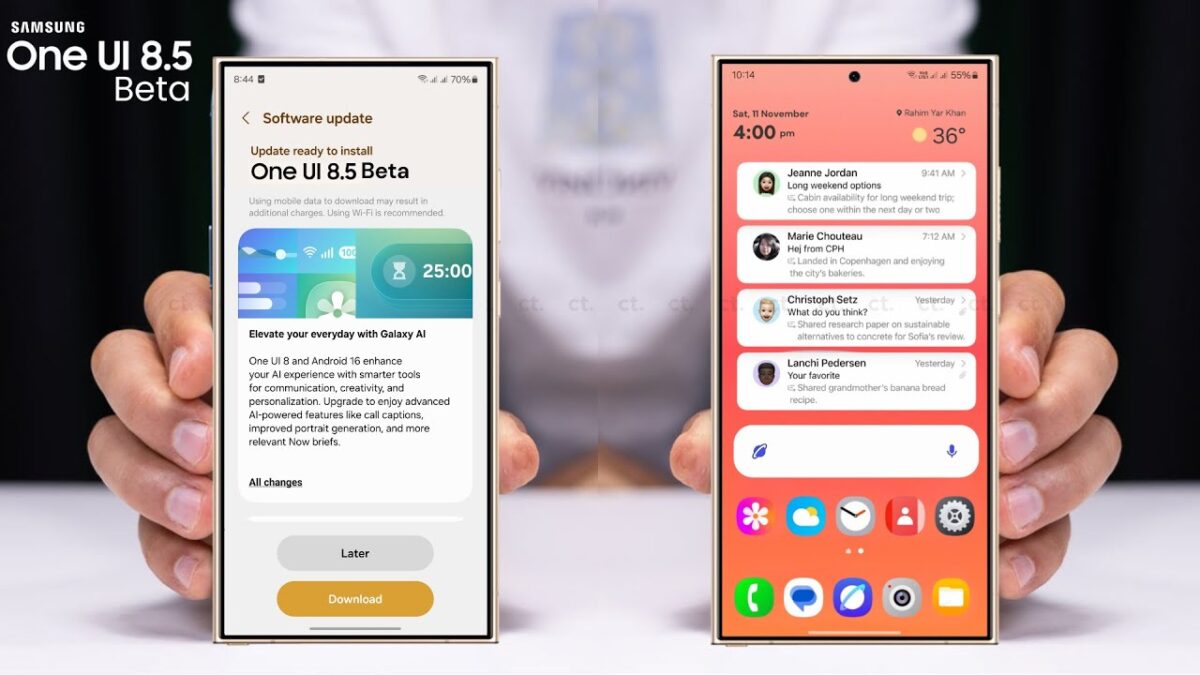
Samsung has officially kicked off the One UI 8.5 beta program for the Galaxy Z Flip 7, expanding the latest software experience beyond the Galaxy S26 series. Announced earlier this week, the update is now rolling out to select users in key markets, bringing a host of new AI features, visual overhauls, and foldable-specific enhancements .
The update, which weighs in at approximately 4.2GB, marks the first major software upgrade for the 2025 foldable since its launch with One UI 8 . Here is everything you need to know about the new beta, including where it’s available, the top new features, and whether you should take the plunge.
Availability and How to Join One UI 8.5 Beta
As of mid-March 2026, the One UI 8.5 beta is officially live for the Galaxy Z Flip 7 in India, South Korea, and the United Kingdom . Samsung is expected to expand the rollout to other regions, including the United States, Germany, and Poland, in the coming weeks .
If you own a Z Flip 7 and reside in a supported country, joining the beta is straightforward:
- Open the Samsung Members app.
- Log in with your Samsung account.
- Look for the One UI 8.5 Beta Program banner on the home page or in the notices section.
- Tap the banner to enroll your device.
Once enrolled, you can download the update by navigating to Settings > Software update > Download and install .
Key New Features in One UI 8.5 Beta
One UI 8.5 Beta is more than just a simple maintenance update; it is a substantial refinement of the Android 16 experience, focusing heavily on AI integration and visual depth.
Galaxy AI Enhancements
The update brings smarter tools to the Z Flip 7. The Photo Assist tool gets an upgrade with “generative continuation,” allowing the AI to expand the edges of your photos seamlessly . The Quick Share feature also becomes more intuitive by automatically suggesting sharing targets based on the people recognized in your images .
A Fresh Visual Identity
Moving away from the flat design of One UI 8, version 8.5 introduces a new “3D” aesthetic. App icons now feature subtle drop shadows and gradient glows, giving them a raised, more premium look . The Quick Panel is now fully customizable, allowing you to resize and rearrange toggles to your liking .
Foldable-Specific Improvements
Samsung is addressing a common pain point for Flip users. When taking calls on the cover screen, a new Low Volume button will appear. This acts as a quick shortcut to instantly lower the earpiece volume to a whisper-quiet level, ensuring privacy during calls in quiet public spaces . Additionally, the “Now Bar” (Samsung’s version of Live Activities) is expected to be better optimized for the Flex Window, providing glanceable info without unfolding the phone .
Detailed Look: One UI 8 vs. One UI 8.5 Beta
To give you a clearer picture of what has changed, here is a comparison of the two versions:
| Feature Category | One UI 8 (Original Launch) | One UI 8.5 (Beta Update) |
|---|---|---|
| Design Language | Flat icons and minimalistic UI elements . | 3D icons with shadows, frosted glass effects, and depth . |
| AI Integration | Basic Galaxy AI features like Portrait Studio. | Enhanced Photo Assist (generative expand), AI voicemail, Smart Clipboard actions . |
| Customization | Standard Quick Panel arrangement. | Fully resizable and rearrangeable Quick Panel toggles . |
| Call Features | Standard call handling on cover screen. | “Low Volume” privacy mode for cover screen calls; AI-powered auto-answer and call screening . |
| Core Android Base | Android 16 (QPR1) | Android 16 (QPR2) with newer APIs . |
Pros and Cons of Installing the Beta
Before you rush to enroll your device, it is important to weigh the benefits against the potential drawbacks. Beta software is, by nature, unfinished.
Pros
- Early Access: Be the first to experience the new 3D UI and AI tools before the public release .
- Performance Boost: Final beta versions often include optimizations that can make the phone feel snappier than the initial launch software.
- Exclusive Features: Get access to foldable-specific tweaks like the cover screen “Low Volume” call button immediately .
- Influence Development: By reporting bugs via the Samsung Members app, you can help Samsung polish the software for the stable rollout.
Cons
- Bugs and Instability: As a beta, the software may contain bugs, leading to app crashes or system instability .
- Battery Drain: Early builds often suffer from poor battery optimization as the system logs data in the background.
- Not for Daily Drivers: Experts strongly advise against installing this on your primary device if you rely on it for critical daily tasks .
- Limited Availability: Currently restricted to only three countries, excluding many global users .
Frequently Asked Questions
1. Is the One UI 8.5 beta stable enough for daily use?
Generally, no. While Samsung has tested this build on the S26 series, the first beta for the Z Flip 7 is likely to have bugs. It is recommended for enthusiasts and developers, not for users who need absolute reliability .
2. When will the stable version of One UI 8.5 be released?
Samsung is expected to release a few more beta updates over the next few weeks to iron out issues. The stable update for the Galaxy Z Flip 7 is anticipated to arrive sometime in late March or early April 2026 .
3. Does the update include the latest security patch?
The first beta includes the February 2026 security patch. Interestingly, it does not include the newer March patch, likely because this build was compiled before March’s release .
4. Can I go back to the stable version if I don’t like the beta?
Yes, but the process varies by region. You typically have to download the full stable firmware via a PC tool like Samsung Smart Switch or Odin. It is highly recommended to back up your data before downgrading, as the process usually wipes the phone.
5. Will my apps work on One UI 8.5?
Most apps from the Google Play Store will work fine. However, some banking apps or apps with strict security protocols may fail to run on beta software due to compatibility checks.
The One UI 8.5 beta represents a significant step forward for the Galaxy Z Flip 7, refining the user experience with AI and a stunning visual refresh. If you have a spare device and live in a supported region, it is an exciting taste of the future of Samsung’s software. For everyone else, the polished stable version is just around the corner.
